
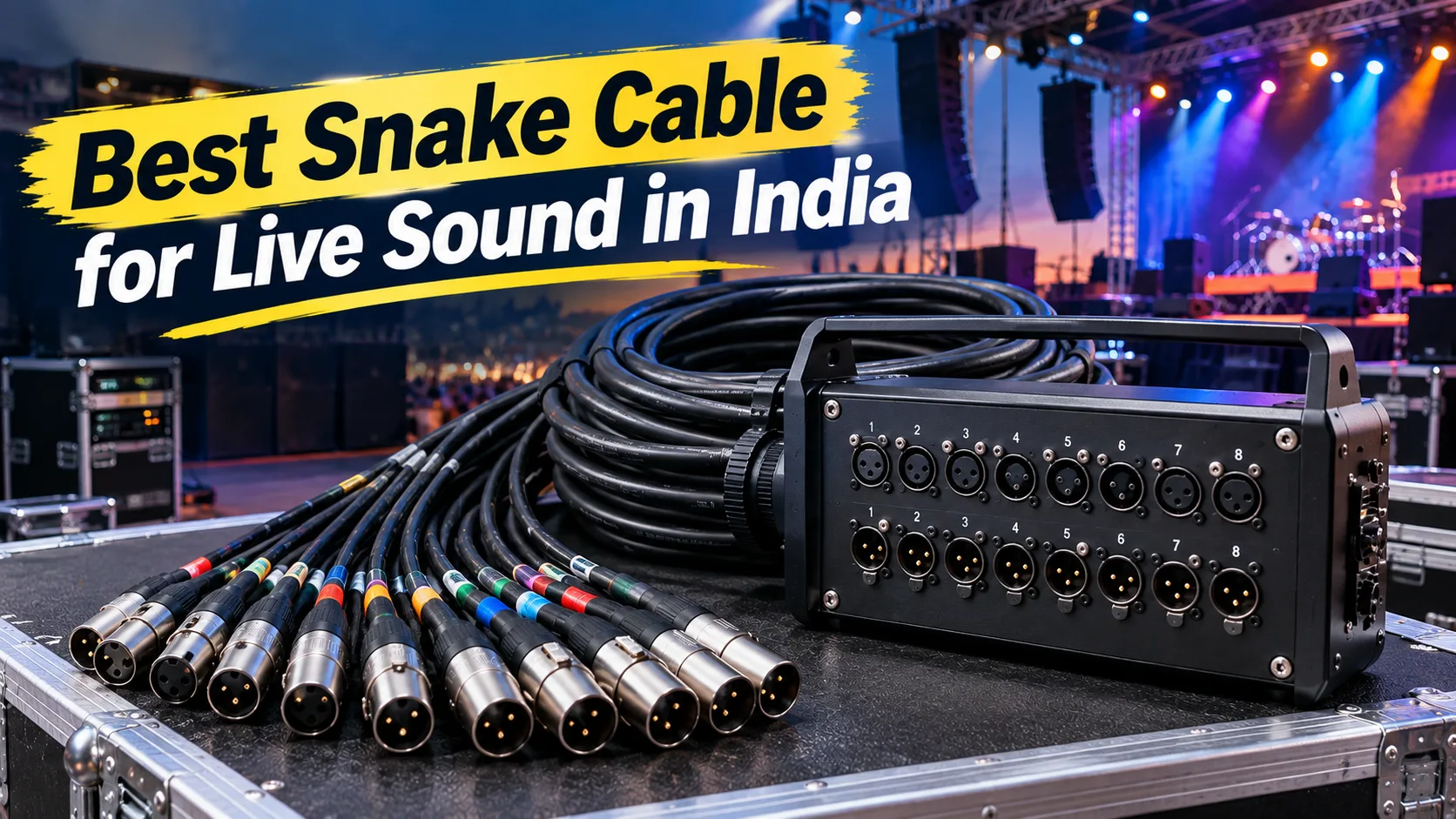
Setting up sound equipment for a live event can be difficult when you have several microphones, instruments, and audio connections to manage. Too many separate cables can make the stage messy and take more time to organise.
A Snake Cable makes this job easier by carrying multiple audio signals through one cable assembly. It connects microphones and other compatible equipment to a mixing console while keeping connections organised.
But which one should you choose? An 8-channel model may be enough for a small band, while a large concert setup may need 16 or 32 channels. The right choice depends on your equipment, stage size, cable length, and connection requirements.
In this guide, we explain the different channel options, key features, and what to check before buying an audio multicore in India.
What Is an Audio Snake Cable?
An audio snake cable is a group of audio connections joined into one cable assembly. It allows sound technicians to connect several microphones and other audio devices to a mixing console without running separate cables for every connection across the venue.
For example, a live band may use microphones for singers, drums, and other instruments. All these connections can be managed through a suitable multicore system.
Many models come with a stage box at one end and individual connectors at the other. The stage box provides a convenient place to connect equipment on stage, while the other end connects to the mixing console.
This type of setup is useful for concerts, wedding events, auditoriums, music shows, recording studios, and other live sound applications.
Which Channel Count Is Best for Your Sound Setup?
The channel count tells you how many audio connections a cable supports. Before choosing a model, count the microphones, instruments, and return connections you need.
Here is a simple comparison to help you understand the options.
| Cable configuration | Common use |
|---|---|
| 8 channel snake cable | Small bands, rehearsal rooms, and compact setups |
| 12 channel audio snake | Small to medium live sound systems |
| 16-channel configuration | Larger bands and event stages |
| 32 channel snake cable | Large concerts and professional sound setups |
Remember that total channel count does not always mean the same number of microphone inputs. Some models have separate input and output connections.
Is an 8 channel snake cable suitable for small events?
Yes, an 8-channel model can be a good starting point for smaller sound setups. It may work well for small bands, rehearsal spaces, conferences, and events with fewer microphones.
For example, a small performance may need connections for vocal microphones and a few instruments. An eight-channel configuration may provide enough connections for this type of setup.
Hawk Pro lists different 8-channel balanced cable options, including XLR-to-XLR and XLR-to-TRS configurations. You can explore them in the Hawk Pro Snake Cable collection.
Before buying, check the connector type, cable length, and equipment compatibility. If you expect to add more microphones or instruments later, consider whether you will need additional channels.
When should you choose a 12 channel audio snake?
A 12-channel model can be useful when you need eight audio inputs and four return connections. This arrangement provides more flexibility than a basic setup with only a few connections.
For example, the Hawk HSS804LU15 is a 12-channel snake cable with a stage box. According to its product specifications, it provides:
-
8 inputs and 4 outputs
-
15-metre cable length
-
Balanced cable design
-
Stage box included
These features make it worth considering for compatible live sound and stage setups.
You can check the Hawk HSS804LU15 12-channel model for its current specifications and availability.
Should you choose a 16 channel snake cable model?
A 16-channel setup may suit larger bands, music events, and sound systems that need more connections.
It is important to check the actual input and output arrangement before ordering. Two cables with the same total channel count may have different connector layouts.
Hawk Pro lists the HNSS1204LU15 as a 16-channel ready-made model with Neutrik connectors. It is designed for professional audio connections and live sound applications.
You can view the Hawk HNSS1204LU15 product details. Check the listed specifications to confirm that its connection arrangement suits your mixer and other equipment.
When do you need a 32 channel snake cable?
A 32-channel model is worth considering for larger stages and productions that need many audio connections. It can help manage signals from singers, drums, guitars, keyboards, and other equipment.
For example, Hawk Pro offers the HSS2408LU30 model with the following configuration:
-
24 audio inputs
-
8 audio outputs
-
30-metre cable length
-
Balanced audio cable
-
Stage box included
This arrangement may suit larger concerts, stage performances, and professional sound systems. You can check the Hawk HSS2408LU30 32-channel model for more information.
If your current setup needs only a few connections, buying a larger model may not be necessary. Choose according to your actual requirements.
How Do You Choose the Right Cable Length?
Cable length is an important factor when setting up a live sound system. A cable should comfortably reach from the stage to the mixing console without being stretched.
Before buying, measure the actual route the cable will follow. Do not measure only the straight distance between the stage and mixer.
Keep these points in mind:
-
Measure the full cable route.
-
Leave enough length for safe equipment placement.
-
Avoid pulling the cable tightly.
-
Consider the size of the venues where you normally work.
-
Choose a length that is easy to carry and store.
For smaller setups, a shorter cable may be enough. Larger stages and outdoor events may need longer cables.
For example, the Hawk HSS804LU15 comes with a 15-metre cable, while the HSS2408LU30 offers a 30-metre cable. These options serve different setup requirements.
Which Connectors Should You Check Before Buying?
Connectors must match your microphones, mixer, and other audio equipment. A cable may have the right number of channels but still be unsuitable if its connectors do not match your setup.
Some common connector types include:
XLR connectors: Commonly used for microphone connections and professional audio equipment.
TRS connectors: Used for balanced audio connections when supported by the connected equipment.
TS connectors: Commonly used for unbalanced audio connections.
DB25 connectors: Used in some professional audio equipment and multichannel connection systems.
Do not choose a cable simply because its connector looks similar to the port on your equipment. Check the wiring and intended signal type as well.
You can explore different connector arrangements in the Hawk Pro audio cable range.
What Features Should You Check in an Audio Multicore?
A suitable multicore should match your equipment and be practical for regular use. Along with the channel count, check its cable construction, connectors, shielding, and overall design.
1. Cable Construction
Live event cables are regularly moved, packed, and unpacked. Look for a cable with suitable protection, properly fitted connectors, and good strain relief. These features are worth checking if you frequently travel between venues for concerts, weddings, or other events.
2. Cable Shielding
Shielding helps protect audio signals from unwanted electrical interference. This can be useful when audio cables run near electrical equipment or lighting systems.
However, shielding alone cannot solve every audio problem. Poor connections, incorrect wiring, and grounding issues can also cause unwanted noise.
3. Clear Channel Labels
Channel labels make it easier to identify the correct connections during setup. When several microphones and instruments are connected, clear numbering can save time.
They also help sound technicians check connections without repeatedly following individual cables across the stage.
4. Stage Box or Cable Drum
A stage box provides a central connection point for microphones and other equipment. It helps keep connections together and makes stage setup easier.
A cable drum is useful when you need to transport and store a longer cable. It helps keep the cable organised during packing and unpacking.
Hawk Pro offers separate categories for snake cables with stage boxes and snake cables with drums.
Choose the design that suits your work, storage space, and event requirements.
How Do Balanced Audio Connections Help?
Balanced audio connections can help reduce unwanted noise when the connected equipment supports balanced wiring.
This is useful for live sound setups where cables may run over longer distances or near electrical equipment. A balanced connection generally uses two signal conductors and a shield. The design helps reject interference when the equipment and cable are correctly connected.
However, balanced and unbalanced connections are not automatically interchangeable. Check the input and output specifications of your equipment before connecting them.
Rane's technical guide explains the differences between these connection types and why proper wiring matters.
How Can You Maintain Your Audio Multicore?
Regular care can help keep your cable in good condition. A few simple checks before and after every event can help prevent connection problems.
Follow these basic practices:
-
Test every channel: Check all connections before the performance.
-
Inspect the connectors: Look for loose parts, visible damage, or bent pins.
-
Handle it carefully: Avoid pulling the cable by its connectors.
-
Protect the cable: Keep it away from sharp edges and heavy equipment.
-
Store it properly: Coil it carefully and avoid sharp bends or tight twists.
-
Keep it clean and dry: Store it in a suitable place after use.
-
Check for unwanted noise: Inspect the connections and routing if you hear hum or crackling.
If you use the same equipment at different venues, a short testing routine before every show can save time during the performance.
Where Can You Buy Audio Snake Cables in India?
If you are looking for audio multicore cables for live events, studios, or stage performances, you can explore the Hawk Pro website. Hawk Pro lists different cable options, including compact balanced cables, stage-box models, and drum-based configurations. The available range includes different channel counts, connector types, and cable lengths.
You can compare the products according to your requirements rather than choosing only by price or channel count.
Before placing an order, check:
-
Number of inputs and outputs
-
Connector types
-
Cable length
-
Balanced or unbalanced design
-
Stage box or drum arrangement
-
Current price and availability
-
Warranty and return information
You can start with the Hawk Pro Snake Cable collection and review the specifications of each product.
If you are unsure about connector compatibility, confirm it with the seller before ordering.
What Common Buying Mistakes Should You Avoid?
Many people choose a cable by looking only at the price or total channel count. This can lead to problems when the cable does not match their equipment.
Here are some common mistakes to avoid:
-
Choosing fewer channels than your setup requires.
-
Confusing total channels with microphone inputs.
-
Ignoring the number of return connections.
-
Buying the wrong connector type.
-
Selecting a cable that is too short.
-
Ignoring the difference between balanced and unbalanced connections.
-
Buying a large cable that you do not actually need.
-
Forgetting to check the product specifications.
A simple equipment checklist can make your buying decision much easier. Write down the number of microphones, instruments, inputs, outputs, and required cable length before comparing products.
Conclusion
The right cable can make stage connections easier to manage and help keep your sound setup organised. The best choice depends on the number of audio sources, stage size, cable length, and equipment you use. An 8-channel model may suit a small band, while a 12-channel or 16-channel configuration may work better for a larger setup. Productions with many audio connections may need a 32-channel option.
Do not choose only by the total channel count. Check the actual inputs, outputs, connectors, and cable length before making a decision. Visit Hawk Pro to compare available audio multicore products and find an option that matches your live sound requirements.